
The best tips for protecting yourself from a Google penalty
1. Of Yellow and Red Cards – What Is a Google Penalty?
A Google penalty generally refers to the demotion of individual websites within search engine rankings, up to and including the complete removal of entire domains from the search engine index.
Just like in football, search engine optimization must follow certain rules of the game. Representing all search engines, we refer here to the industry giant Google, which has defined and continuously refined Webmaster Guidelines for domain operators.
Anyone who violates one or more of these Google Webmaster Guidelines receives a penalty—literally meaning a warning or sanction—comparable to a yellow or red card during a football match.
A distinction is made between a manual warning and an automatic penalty:
A manual warning refers to unauthorized SEO techniques used by webmasters. In this case, you receive a notification detailing the violations from Google’s Quality Team in Dublin. To stay with the metaphor: you have not yet been sent off the field, but you continue playing under close observation by the referee (Google Quality Team).
An automatic penalty, on the other hand, occurs when non-compliant SEO measures are automatically detected and sanctioned due to one of the many algorithm updates (Panda, Penguin, Payday Loan, Phantom, etc.).
You are no longer just playing under observation—you now face a significant handicap compared to your competitors in the form of downgraded keyword rankings or loss of domain visibility. In other words, you are not only excluded from the current match but must prove over a longer period that you are complying with the established rules of the game.
2. How Do I Recognize an Automatic Google Penalty?
With an automatic penalty caused by algorithm updates, the first challenge is identifying which areas of your shop are affected.
To precisely define the affected areas and initiate effective measures, various SEO tools are required. These tools allow you to analyze category pages, product detail pages, or specific keywords in detail.
Two key metrics may indicate a suspected automatic penalty:
Your domain’s visibility drops drastically:
Various tools analyze visibility—i.e., how visible your shop is online—using an index. If this index suddenly declines significantly, it may be the first indication of a Google penalty.Massive ranking losses for your strongest keywords:
If keywords that previously ranked well in Google’s search engine results pages (SERPs) suddenly drop sharply within a short time, this may represent a second indication of a penalty.
However, distinguishing a penalty from faulty indexation can be difficult. For example, if extensive changes were made to your domain—such as a relaunch of your online shop—it is possible that search engine crawlers can no longer properly read and evaluate your pages. In the worst case, your shop may be removed from the index and become unfindable in the SERPs.
Determining whether you are affected by an automatic Google penalty requires not only sophisticated SEO tools but also the expertise of an experienced SEO agency with proven success in penalty recovery.
3. How Do I Define the Affected Area of My Online Shop?
Once a penalty has been identified, the next step is to analyze the affected sections of your domain. Two fundamental distinctions can be made:
First, the extent of the penalty—i.e., which areas of your domain are affected.
Second, the degree of the penalty.
Sitewide Penalty
The entire domain is affected. This can even result in removal from the index—for example, for websites containing terrorist, racist, or pornographic content.
Page-Level Penalty
Only specific sections of the domain are affected. This may include categories that violate Google guidelines through purchased links (“unnatural backlinks”) or rankings lost for specific keywords due to excessive keyword usage. Pages that use exclusively money keywords (e.g., “cheap,” “cheaper,” “cheapest”) may also be penalized.
Degrees of Penalty
-30 Penalty:
The domain is demoted beyond the first 30 search results (i.e., ranking position 31 or lower). The difficulty lies in distinguishing this from normal ranking loss due to insufficient SEO.-950 Penalty:
The domain remains indexed but no longer ranks within the top 100 results. This penalty may affect entire domains, individual URLs, or specific keywords.Index Removal:
Individual subpages or the entire domain are removed from Google’s index and can no longer be found via organic search queries.
4. The Most Common Reasons for a Penalty
Reasons for a Google penalty can generally be divided into two areas: OffPage and OnPage factors.
4.1 OffPage Reasons
Since the introduction of the Penguin Update in 2012, Google has targeted unnatural backlink structures, primarily consisting of purchased or rented links.
Natural vs. Unnatural Link Profile
A natural link profile mainly consists of organic links that are contextually relevant. Anchor texts often include variations of your domain name (e.g., myshop.com, www.myshop.com) or neutral terms such as “here.”
An unnatural link profile can usually be identified by:
Use of hard keywords as anchor texts
Previously common practice, but devalued since Penguin updates.Use of money keywords
Keywords combined with commercial modifiers such as “cheap,” “best price,” or similar e-commerce terms.Untrustworthy link sources
Links from irrelevant, foreign-language, PR, or link farm websites lacking topical relevance.
Google may interpret these signals as manipulative, leading to devaluation of links and penalties for affected URLs.
4.2 OnPage Reasons
Since 2011, Google has introduced Panda Updates to evaluate content quality.
Common causes of content devaluation include:
Duplicate Content:
For example, manufacturer texts copied for product detail pages.Thin Content:
Rewritten but still low-value content that offers no added benefit to users.Spam / Keyword Stuffing:
Excessive keyword placement or purely promotional content, including automated translations.Hidden Content:
Text hidden in white font on white background or collapsed sections.Outdated Content:
Since the Caffeine Update (2010), fresh content is favored, while outdated content is ranked lower.
5. The Reconsideration Request – The Proper Response to a Manual Penalty
If you receive a manual action notification in your Google Webmaster account, you should submit a Reconsideration Request.
A proper request includes:
A precise description of the quality issue
Explanation of corrective actions taken
Documentation of your efforts
In many cases, one or two submissions are required before the manual action is lifted.
5.1 Analyze Manual Warnings Carefully
Check “Manual Actions” in Google Webmaster Tools to determine whether Google has taken action against your website.
Most manual actions result from unnatural backlinks or poor content.
5.2 Correct Faulty SEO Measures
5.2.1 Clean Up Your Backlink Profile
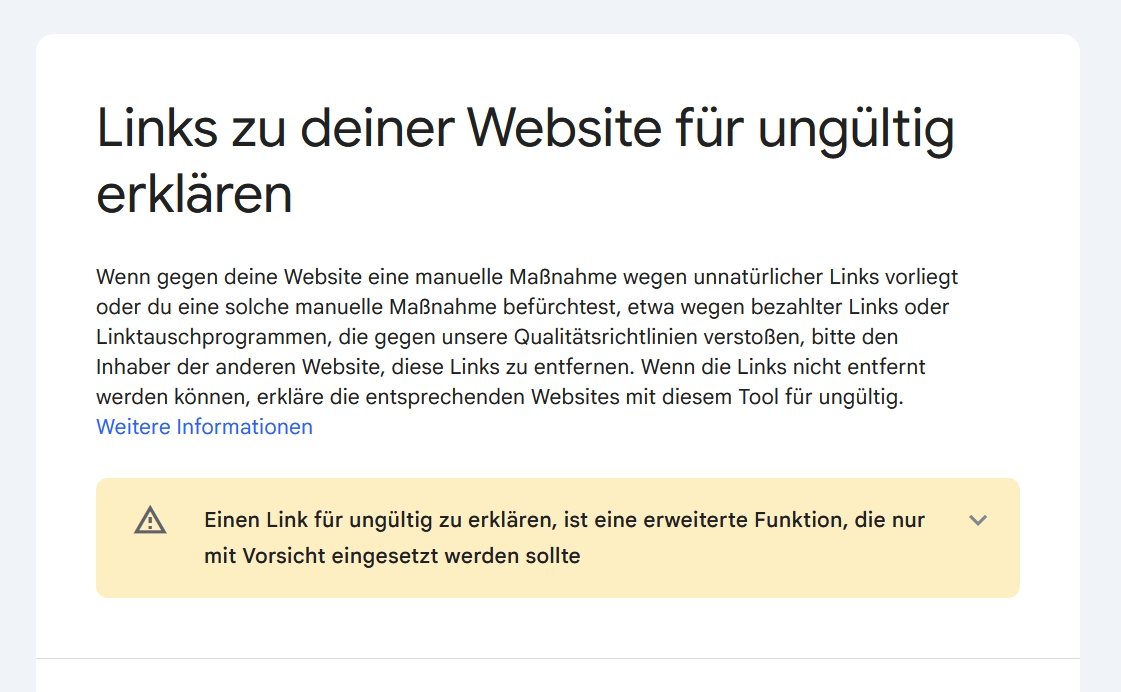
Analyze all incoming backlinks and distinguish between good and harmful ones. Contact webmasters to remove harmful links or request a NoFollow attribute.
If unsuccessful, proceed with a Disavow file.
5.2.2 Improve Your Content
Ensure:
No duplicate content
Unique meta tags
No hidden text
High-quality, user-oriented content
6. Create a Disavow File
If link removal fails, create a .txt file listing harmful links and submit it via the Disavow Tool. Google will then ignore these links.
Note: The links will still appear in the “Links to your site” report but will be internally marked as NoFollow.
The disavow process is automated and does not allow priority comments.
7. Conclusion – Prevention Instead of Reaction
Prevention is always more effective and cost-efficient than reacting to penalties.
Integrate sustainable SEO practices into your daily operations or work with an experienced online marketing agency that ensures compliance with Google Guidelines and maintains a high-quality, unique link profile.
A yellow card (manual penalty) or red card (automatic penalty) is best prevented through a long-term SEO strategy for your online shop.